FAQ
Questions? We've got answers.
Planning a Celebration?
What is a Sugar Reel?
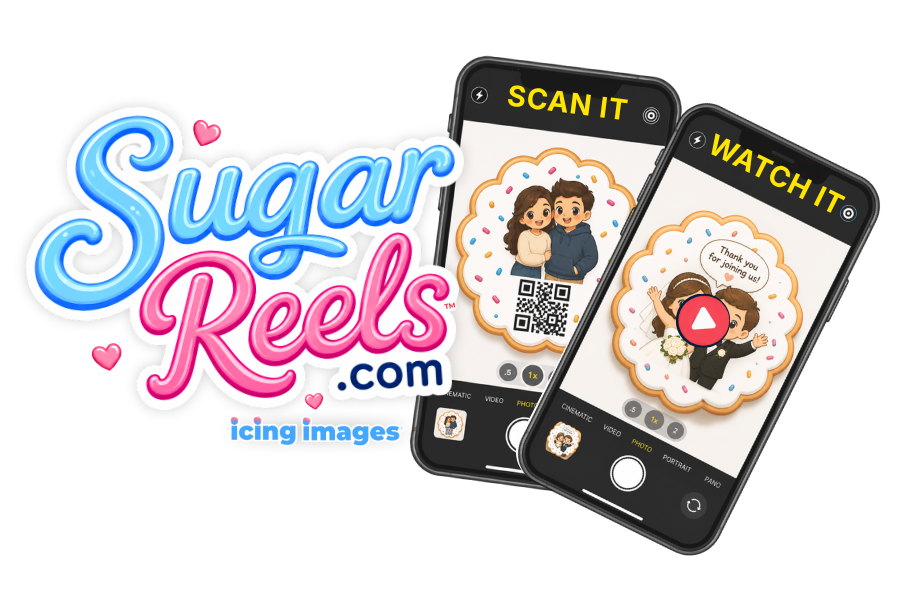
A Sugar Reel is a treat with a printed edible image and a QR code. With Sugar Reels OG, guests scan it and watch a video play right on the food. With Sugar Reels Guest Book, guests scan it and record a video message for you.
Is this augmented reality?
Yes. Sugar Reels OG uses augmented reality (AR) to play your video right on the printed image. We call it interactive edible media.
Why can’t I make a Sugar Reel at home?
Sugar Reels require an edible printer. You can buy one, but we don’t recommend it for a one time event. Edible printers need to be used regularly, or they can develop problems. The easiest way is to order from a baker who prints all the time. Find one in our free directory.
How do I get one?
Find a baker near you in our free directory and order directly with them. Already have a favorite baker? Let them know you want a Sugar Reel and have them check us out. Any baker with a food safe edible printer can sign up. No baker near you? Some of our bakers ship, depending on their state licensing, so reach out and ask.
Will Sugar Reels work on phones from outside the USA?
Sugar Reels OG only works on USA phones. Guests with phones from other countries won’t be able to watch the video.
How much does a Sugar Reel cost?
Pricing varies by baker. Each baker sets their own rates based on the type of food, design, quantity, and their services. Reach out to a baker in our directory for a quote.
When should I order?
Your baker will let you know.
What kind of food can a Sugar Reel be printed on?
It depends on the type of edible printer your baker has. Some bakers can print directly onto food as long as the surface is flat, while others print on edible paper that adheres to food. Ask your baker what options they offer.
Do my guests need an app?
For Sugar Reels OG: iPhone users don’t. They just point their camera at the QR code. Android users need to download a free QR scanner app first. For Sugar Reels Guest Book: no app needed on any phone. Guests scan the QR code and it takes them straight to your guest book.
Do my guests need internet?
Yes. Guests need Wi Fi or cell service at the event.
How long will my Sugar Reel work?
For Sugar Reels OG, it works for the length of time your baker orders. Ask your baker.
Is it safe to eat?
Each baker is responsible for the ingredients and food safety of their treats. Ask your baker about ingredients and allergens before you order.
Can all my guests scan it?
Yes. Every guest at your event can scan.
What if a guest has trouble scanning?
Check that they have Wi Fi or cell service. For Sugar Reels OG, Android users need a free QR scanner app, and the phone must be a USA phone.
How long can my video be?
For Sugar Reels OG, your video must be under 30 seconds. Guest Book messages from your guests can be up to 30 seconds.
What if I don’t have a video?
Choose a ready made video at DrSusieSweets.com, or make your own with your phone. Just remember the shape of your printed treat, and keep the main action in the center so nothing gets cut off. Ask your baker for more details.
How do I get my Guest Book messages?
Every message goes to your private portal. Watch them there and share a private watch link with family and friends. You decide who sees them.
How do I know my baker is good?
Sugar Reels lists bakers in our directory but does not evaluate or guarantee the quality of individual bakers. We encourage you to review their work, ask questions, and reach out before placing your order. Bakers who display the Blue Food Printer Badge use the Blue Food Printer, which delivers superior print quality. Look for the Badge to find bakers who print with the Blue Food Printer.
Own a Business?
How can my business use Sugar Reels?
Three ways. Sugar Reels OG: put your video on your treats for product launches, announcements, grand openings, and specials. Sugar Reels Guest Book: collect video messages from guests at corporate events, parties, and conferences. Sugar Reels Reviews: collect video reviews from your customers.
How do Sugar Reels Reviews work?
Hand out treats with orders, at checkout, or at your events. Customers scan the QR code and record a short video review. Reviews land in your branded private portal, where you choose the ones you love.
Do my customers need an app?
For Sugar Reels OG: iPhone users don’t. Android users need to download a free QR scanner app first. For Guest Book and Reviews: no app needed on any phone. Customers scan the QR code and it takes them straight to the recording page. No account needed either.
Do my customers need internet?
Yes. Customers need Wi Fi or cell service when they scan.
Where do the recorded videos go?
It depends on the product. Sugar Reels Guest Book: every message goes to your private portal. Watch them there and share a private watch link with your team or guests. Sugar Reels Reviews: every review goes to your branded private portal. Nothing goes public until you choose it. Sugar Reels OG: nothing is recorded. It plays your video.
Can I use the reviews in my advertising?
Yes. The recording page tells customers their review may be used in your advertising and on social media. You can also add a simple line to your treat card or packaging, like “Your review may be featured in our ads and on social media.”
Does the QR code expire?
It depends on the product. Sugar Reels OG: it works for the length of time your baker orders. Ask your baker. Sugar Reels Reviews: it works once your order is paid, for up to the number of reviews included in your order. When you reach that number, more can be added. Ask your baker how long your QR code will stay open.
How long can a review be?
Up to 30 seconds.
How do I set up my review portal?
Your baker places your order. Once it is paid, you get an email with a link to your private portal, where you can add your logo, banner, about section, and social links.
How much does it cost?
The bakery sets all prices. Reach out to a baker in our directory for a quote.
Are You a Baker?
How do I start offering Sugar Reels?
Sign up as a baker. Visit our I'm a Baker page to see how it works, what you need, and how to get listed.
What printer do I need?
Any food safe edible printer works. Already have a Blue Food Printer, an edible paper printer, an Eddie, or another food safe printer? You're ready to go. Shopping for a printer? We recommend the Blue Food Printer. It's built for superior print quality, and Blue Food Printer owners get a free directory listing and the Blue Food Printer Badge. Prefer printing on edible paper? Check out the Icing Images edible paper printers.
How do I get listed in the directory?
Get listed for only $10 a month or $100 a year. Blue Food Printer owners are listed free.
Can bakers outside the USA join?
Yes. Bakers anywhere can list and sell to customers in the USA. Sugar Reels OG only works on USA phones, so it won’t work for events outside the USA.
Can I offer all three Sugar Reels?
Yes. Sugar Reels OG, Guest Book, and Reviews are all available.
Can I ship Sugar Reels?
It depends on your state’s licensing. Check your state’s rules before you ship.
What does the Blue Food Printer Badge mean?
It shows customers that you own and print with a Blue Food Printer. The Badge reads “Blue Food Printer Owner.”
How far ahead should customers order?
We recommend at least 2 weeks before the event. Orders placed less than 2 weeks before the event are rush orders. Rush orders are possible, but there’s less time to fix anything if something goes wrong. If you accept a rush order, you assume the risk that the Sugar Reel may not be ready or working in time for the event, and Sugar Reels is not responsible.
How long does it take to get my QR code?
QR codes are ready within 48 business hours from submission, as long as the order is submitted by 5:00 PM PT. Orders submitted on weekends or holidays start processing the next business day.
What if my customer doesn’t have a video?
Choose a ready made video from DrSusieSweets.com.
What are the video requirements?
For Sugar Reels OG: videos must be under 30 seconds, under 50MB, and exported in 1080p (not 4K). Keep the main content centered, since the video displays in a circle.
What’s the thin white border for?
We add a thin white border around your Sugar Reel image, and it must be printed with the image. It helps the camera detect exactly where the image starts and stops, especially if the background of the image blends into the treat. Don’t trim it off, or the video may not line up.
Why do I submit a photo of my first treat?
For Sugar Reels OG, it’s our quality check. Submit the photo of your first printed treat and your Sugar Reel activates instantly.
When should I test my Sugar Reel?
Right away. As soon as your first treat is printed, scan the QR code and point your camera at the image to make sure everything works. Testing early gives you time to fix anything before the event, especially on rush orders.
What should I tell my customers about scanning?
For Sugar Reels OG: iPhone users just point their camera at the QR code and tap the link. Android users need to download a free QR scanner app first. Guest Book and Reviews need no app on any phone. For every Sugar Reel, guests need Wi Fi or cell service, so let your customers know ahead of time, especially if their event is somewhere with poor signal. Sugar Reels OG only works on USA phones, so guests with phones from other countries won’t be able to watch.
Where do the recorded videos go?
For Sugar Reels Guest Book and Reviews, every video goes straight to the host or business who bought the experience.
Can I change the image after I submit an order?
Once an order is submitted, the image is locked. If a change is absolutely necessary, a $25 change fee applies.
Who handles pricing, payment, and delivery?
You do. You buy the Sugar Reels experience from us, then sell it to your customers as part of your treats. You set your own price, collect payment, and handle delivery and food safety, just like the rest of your business.
Sugar Reels is in BETA. Features, pricing and availability may change as we build. Read the Baker Terms and Beta Terms.